How to Use a 2027 Printable Planner: Monthly, Weekly and Goals
A paper planner works best when it is simple enough to open every week. This guide explains how the 2027 Printable Planner is laid out, how to print it, and one way to set it up so the monthly, weekly and goal pages work together.
What is in the planner
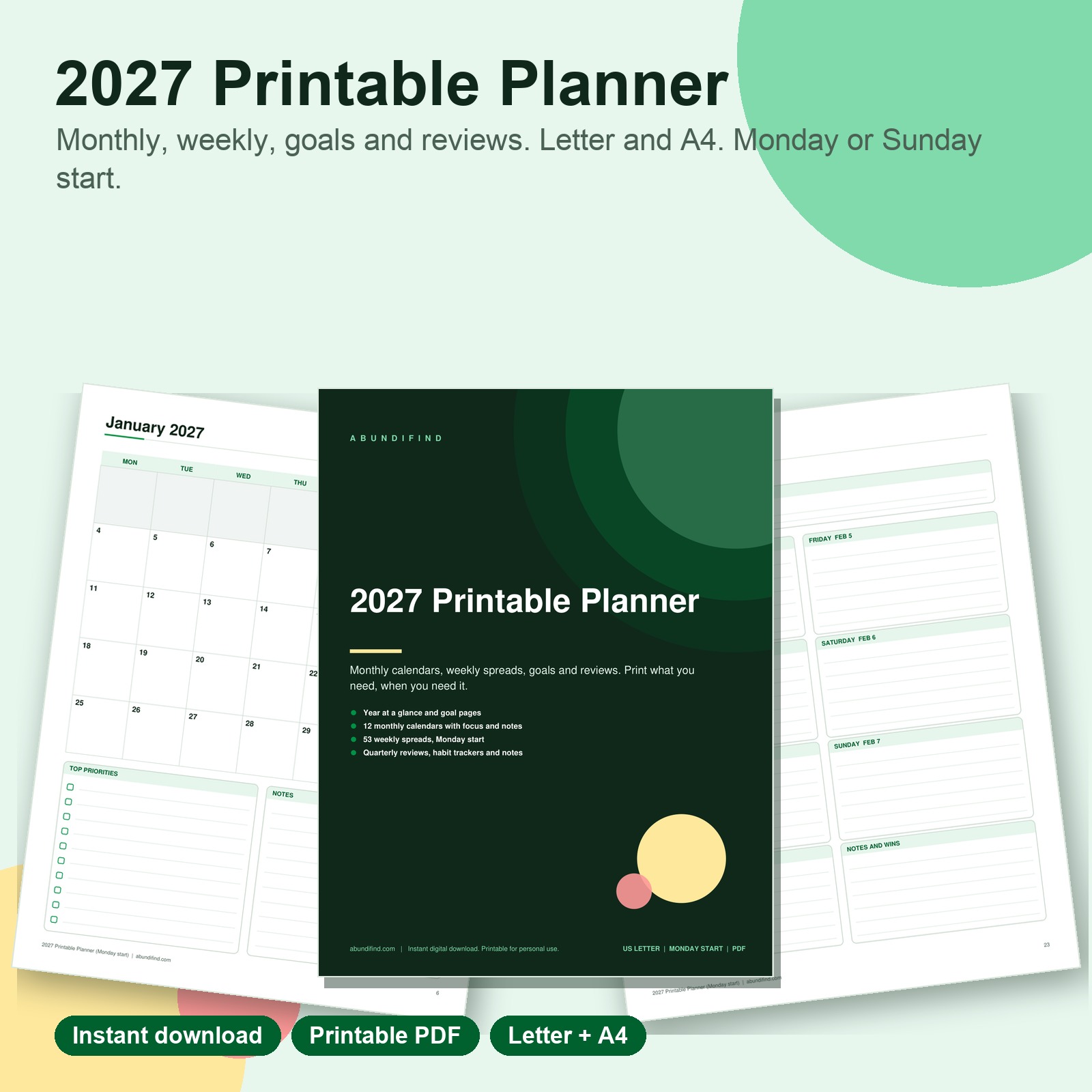
The 2027 Printable Planner PDF comes as four PDFs: US Letter and A4, each with a Monday start and a Sunday start. Pick the file that matches your paper size and the day your week begins. Each file is about 78 pages, single sided. Inside you will find:
- A year at a glance, goals and important dates
- 12 monthly calendars with priorities and notes
- 53 weekly spreads, Monday to Sunday
- A habit tracker, four quarterly review pages, and lined, dotted and grid notes pages
How the pages fit together
Think of the planner as three levels. The year page holds what matters across all twelve months. The monthly calendar breaks that into priorities and dates for one month. The weekly spread is where the actual days live: appointments, tasks and notes.
Starting from the top each time keeps the small tasks tied to the bigger plan. When you open a new week, glance at the month’s priorities first and let those shape what goes on the weekly page.
Setting it up in about twenty minutes
- Print the front pages first. Year at a glance, goals and the first monthly calendar are enough to begin.
- Fill in the fixed dates. Birthdays, holidays, school breaks and anything already booked go on the year and monthly pages.
- Write two or three goals. Short, specific goals are easier to review than a long list.
- Print the weekly spreads in batches. You do not have to print all 53 at once. Print a month at a time if you like.
- Put the quarterly review on the calendar. Four review pages are included; schedule them on a date you will actually see.
Printing tips
The files print on standard letter or A4 paper. Print at Actual size so the margins stay correct. If you plan to keep the planner in a binder, hole punch the pages. If you prefer to keep it in separate months, you can staple by month instead. You can print the whole thing, or only the months you need, as many times as you need.
Which version should you choose?
- Letter or A4: choose the paper size your printer uses.
- Monday or Sunday start: choose the day your week begins on the page. Both are included, so you can print the one you prefer.
Using the habit tracker and notes pages
The habit tracker page is there for the small, repeated things. Pick a few habits, and tick them off on the page. The notes pages come in lined, dotted and grid, so you can use whichever suits lists, sketches or planning.
Want to try a related page first?
If you want to see how a printable tracker feels before buying a full planner, the free Habit Tracker sample pages include a goal worksheet, a monthly habit tracker and a weekly check-in, in Letter and A4, for personal use.
How the download works
This is a digital download. Nothing is shipped. Your download link appears on the order confirmation page and in your order email as soon as payment clears. The license is for personal use: print and use it for yourself and your household, and please do not resell, share or redistribute the files. Because it is a digital product we cannot accept returns, but if a file will not open or something is wrong, contact us and we will make it right.
Browse more in our planners and printables and the full digital downloads category.
See also: 2027 Printable Planner PDF, Letter and A4 (Monday and Sunday Start), FREE Habit Tracker Sample Pages Printable (Letter and A4).
See also: Habit Tracker and Goal Planner: How to Start with Three Pages and Debt Snowball vs Avalanche: Which to Pick and How to Track It, or try our free printable samples.